BYO Code Flows

Turning a works on paper prototype into a developer-grade workflow

Mike - Product Design | Nexla | Oct-Dec 2025

Problem (why leadership cared)

BYO was powerful but behaved like an internal tool:

  • Testing was slow/painful
  • Errors + state were opaque
  • Key actions were buried or required copy/paste
  • UI patterns were inconsistent across the product

Solution (what shipped as a workflow)

A guided, IDE-like authoring experience:
  • Full-screen code editor + console
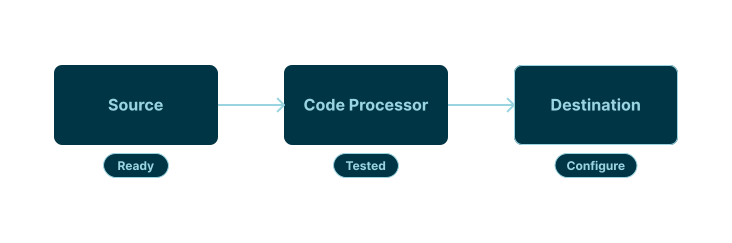
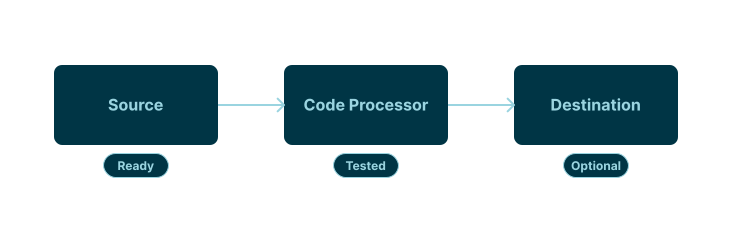
  • Flow template on canvas (Source -> Code -> Destination)
  • Explicit file selection + preview/download
  • Simplified "write new vs library" without disruptive modality

Context

Primary Users

  • Data engineers
  • Platform engineers
  • Solution architects

Typical jobs-to-be-done

  • Normalize messy vendor files (PDF/CSV/JSON)
  • Validate, enrich, or reroute records
  • Debug issues quickly without needing support
Mental model flow showing Source to BYO Code to Destination with a design-goal note.

Persistent Workflow Friction in Real Feedback

User complaints were repeated and compounding across reviews.

Much of it is user experience... the same things that people have complained now for over two years on usability.

Internal review (Nov 2025)

The flow to do that is really counterintuitive... you need to put a file path... hard-coded... then copy/paste.

Internal review (Oct 2025)

The test here is slow and painful... you can't debug... error message is not easy.

Internal review (Oct 2025)
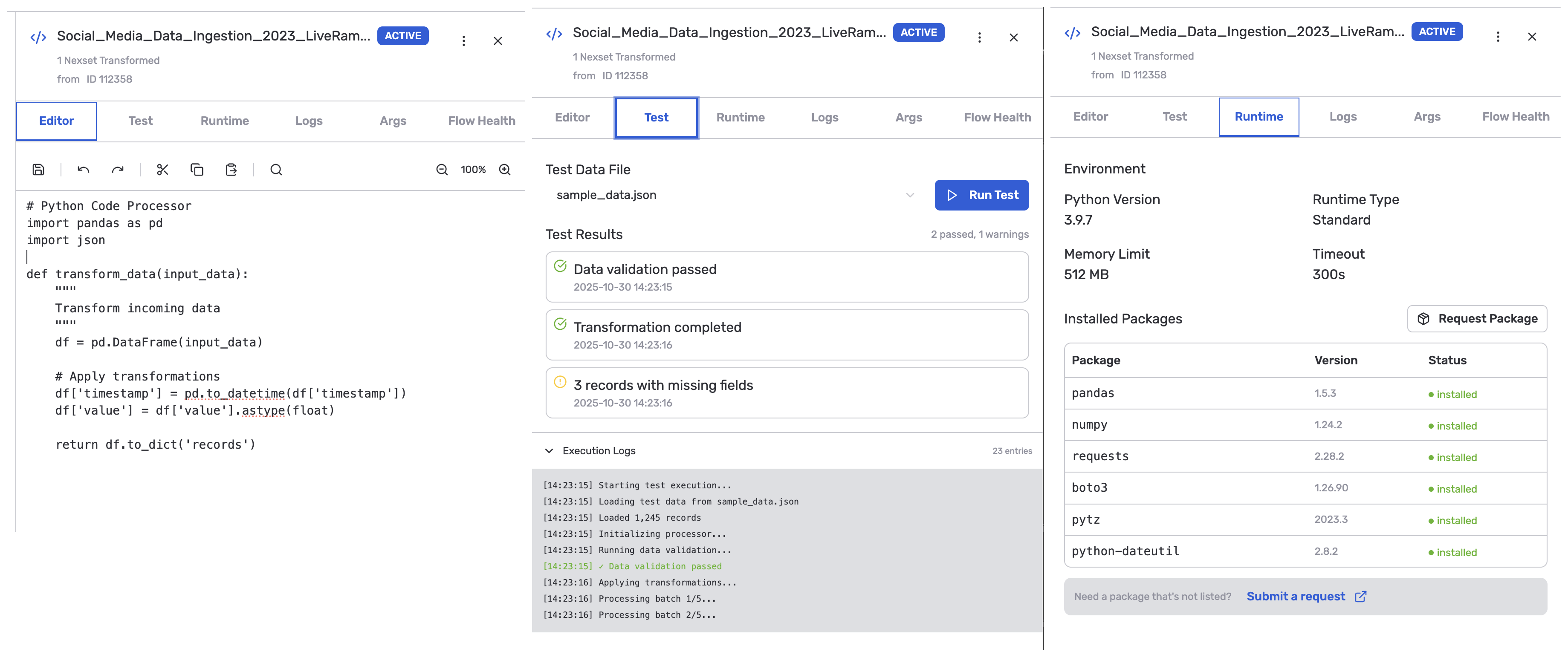
First Attempt: Why the Drawer Model Failed

Why a right-side drawer initially made sense

  • Fast to implement using existing panel pattern
  • Reduced risk while backend behavior was still shifting
  • Kept canvas visible (in theory)

What we learned quickly

  • Too little space for real code
  • Documentation and controls competed for real estate
  • It encouraged a brittle, modal workflow
BYO right-side drawer modal used in the initial authoring model

Turning Point #1: Promote BYO to a Full Workspace

What changed in the design

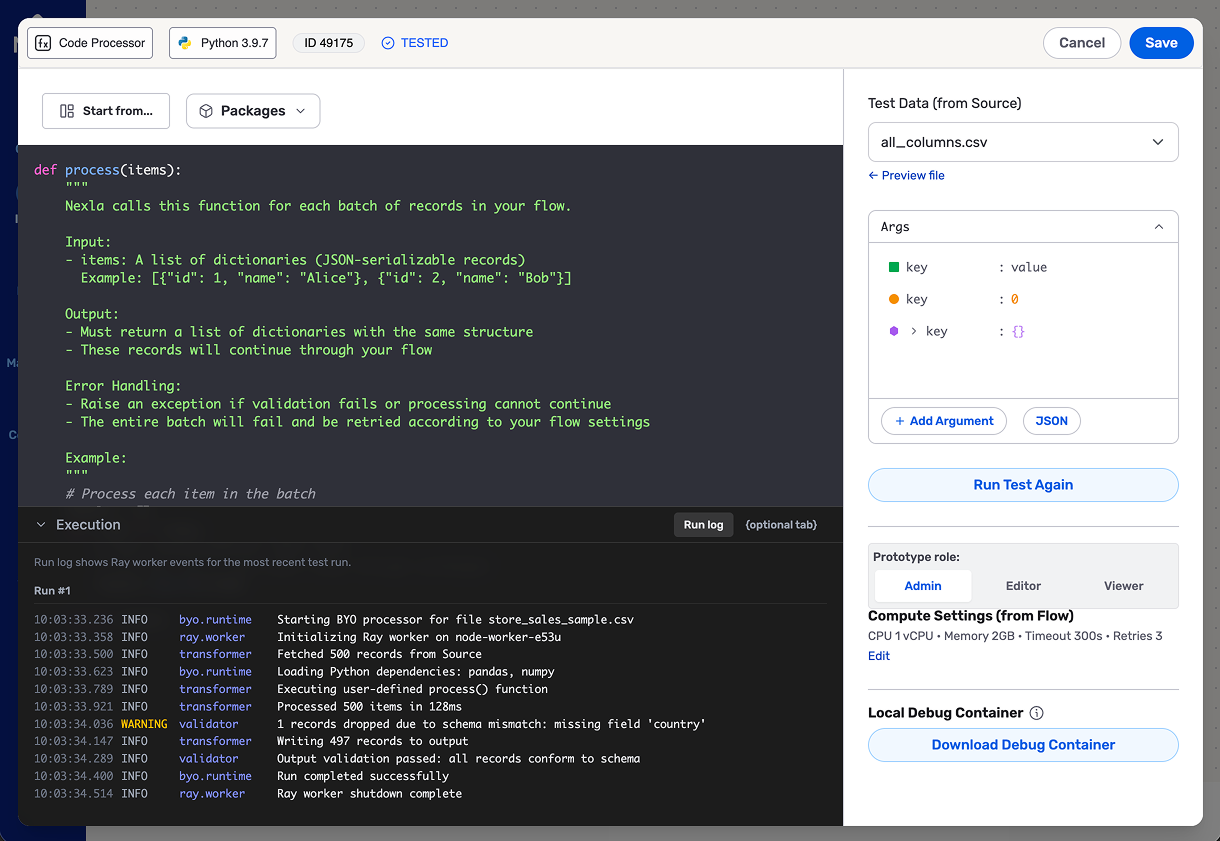
  • Promote code to a primary task
  • Keep console/results persistently visible
  • Reserve right rail for "contract + runtime config"

Why this mattered

  • Less scrolling
  • Fewer hidden controls
  • Better parity with real developer workflows
BYO full-workspace editor showing source, code, and destination flow with a persistent console and contract/runtime configuration rail

Turning Point #2: Template-First Flow Guidance

  • Users needed a guided sequence
  • New flows start with nodes already on the canvas
  • Template-first setup lowered setup uncertainty
Flow guidance sequence showing pre-seeded nodes and template-first setup

Turning Point #3: Stable Write New vs Library Mode

Make the choice explicit, then keep one stable editing model.

We have multiple patterns in the UI in how we handle the custom code... we need a consistent pattern.

Internal review (Nov 2025)

When I go to provide your own function, we have some code already... Half the screen is documentation... confusing.

Internal review (Nov 2025)

Make Iteration Fast: File Access + Runtime Feedback

Remove copy/paste loops and support practical debugging.

You cannot just select it from here and test it right away… copy this path… paste.

Internal review (Oct 2025)

The only caveat is… we need a public-facing repository with the Docker image…

Design review (Nov 2025)

Telling them to bring the code in our UI and just run it… is always going to be painful. Debugging breakpoints will be hard.

Internal review (Nov 2025)
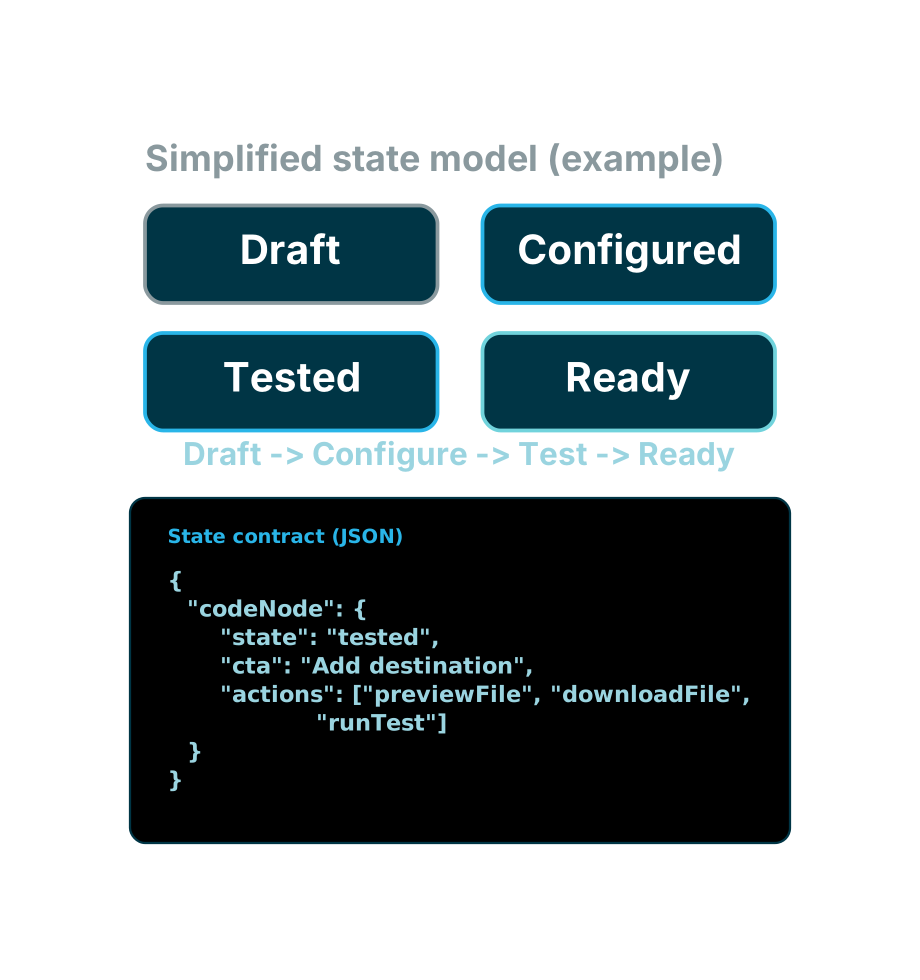
Increased Delivery Precision

What I did

  1. Used AI to draft a state model
  2. Fed the model into Figma Make
  3. Iterated quickly with stakeholders

Why it mattered

  • Stakeholders reacted to proposed behavior
  • Captured edge cases early
  • Reduced "hand-wavy" ambiguity
Simplified state model with four lifecycle states and JSON payload example

Collaboration and Scope Discipline Made v1 Shippable

How I drove clarity

  • Used interactive prototypes to get fast, specific feedback
  • Kept a v1 scope line (basic workflow first)
  • Clarified "v1 vs later" with Head of AI + Customer Success engineering
Design journey timeline showing progression from friction discovery to refined editor behavior

Outcomes, Leadership Metrics, and Next Bets

Qualitative outcomes now, measurable signals and follow-on bets next.

  • Outcomes: clearer happy path, stronger coding workspace, and fewer hidden actions
  • Design artifacts improved handoff quality through explicit state and contract specs
  • Leadership metrics: time-to-first-successful-test, support-free creation rate, actionable-error visibility, reuse split, and BYO usability NPS delta
  • Design lessons: developer UX is not another form, state modeling is a design tool, and v1 requires ruthless scope
  • Next bets: CLI deploy path, contract linting, structured output preview, and governed package request flow